


A redirect map starts as a spreadsheet of old→new URL pairs
1. Collect every old URL worth redirecting
Start wider than you think you need. A migration usually breaks URLs that nobody remembers exist, and those are often the ones with old backlinks. Pull old URLs from several sources and merge them into one column:- The current XML sitemap — the URLs you officially publish today.
- A full crawl of the live site — catches pages that are linked but missing from the sitemap.
- Search Console exports — pages that get impressions or appear in the Page indexing report. Search Console exports are capped at 1,000 rows of representative examples, so on a large site this is a sample, not the full list.
- Your backlink tool export — target URLs of external links, including ones that already return 404.
- Analytics landing pages — URLs that still receive visits.
2. Give each old URL exactly one destination
Add a second column: the new URL. The rule is one old URL → one final destination, and that destination should be the closest equivalent page, not just “somewhere on the new site”. A few decisions come up on every project:- Merged pages. If three old articles became one new guide, all three point to that guide.
- Removed pages with no equivalent. Point them to the nearest relevant category, or let them return 404 or 410. Sending large groups of unrelated URLs to the homepage is a common shortcut, and Google can treat redirects to an irrelevant page as soft 404s, so the redirect brings little benefit.
- Parameters. Decide whether tracking parameters (
utm_*, session IDs) should be dropped or preserved. Usually you map the clean URL and let the parameter version follow the same rule.
3. Normalise the pairs before writing any rules
Most broken redirect maps fail on formatting, not logic. Before generating configuration, clean both columns:- Protocol and host. Old paths can stay relative (
/blog/old-post/), but destinations should be absolute (https://example.com/guides/new-post/) so there is no doubt about the final host. - Trailing slashes.
/pricingand/pricing/are different paths to a server. Map the form that was actually live, and add a separate pair if both versions received links. - Case. Paths are case-sensitive on most servers.
/About-Us/and/about-us/need either two pairs or a deliberate lowercase rule. - Encoded characters. Non-ASCII slugs may appear both encoded (
%D0%...) and decoded in your sources. Pick one form per server and stay consistent. - Conflicts. The same old URL with two different destinations is a mistake to resolve now, not in production.
4. Remove chains and loops
A chain happens when an old URL redirects to another URL that also redirects: A → B → C. Chains appear naturally when a site has moved before and the old rules are still in place. Collapse every chain so each source points straight to its final destination: A → C and B → C. Google’s crawlers follow up to 10 redirect hops, but every extra hop is another request, another place for an error, and slower pages for users. Treat any chain longer than one hop as a bug. Loops are worse: A → B → A never resolves. Check every destination against the source column. If a destination also appears as a source, follow it until you reach a URL that is not redirected; if you come back to the start, you have a loop.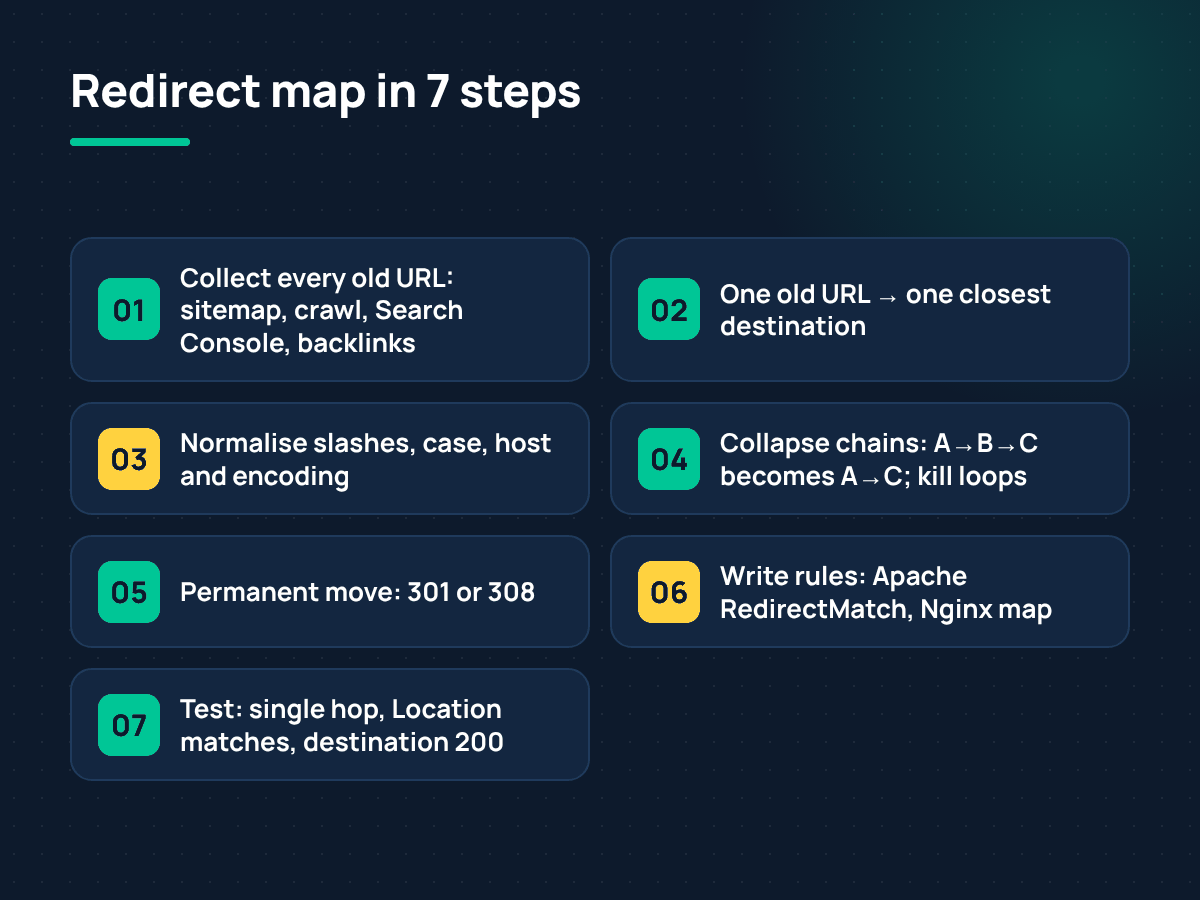
From URL inventory to tested 301 rules in seven steps
5. Choose the status code
For a permanent move, use a permanent server-side redirect: 301 or 308. Google’s indexing pipeline uses a permanent redirect as a signal that the target should become the canonical URL. Temporary codes — 302, 303, 307 — tell Google the old URL may come back, so the source can stay canonical. Use temporary redirects only for things that really are temporary, like a short campaign or maintenance page. Meta refresh and JavaScript redirects are fallbacks for hosting where you cannot touch the server; Google’s redirects documentation recommends server-side permanent redirects whenever possible.6. Turn the map into server rules
Apache (.htaccess)
For a handful of exact matches,mod_alias is the simplest option:
Redirect: it matches by prefix, so Redirect permanent "/old" also catches /old-archive/ and /old/anything. When you need an exact match, use RedirectMatch with ^ and $ anchors.
Nginx
A few lines oflocation = /path blocks work for small lists. For hundreds or thousands of pairs, a map is easier to maintain and keeps the server block short:
$uri holds the path without the query string. If your map needs to match parameters too, use $request_uri instead and write the keys with their query strings.
Writing hundreds of these lines by hand is where typos creep in. If your pairs are already in a spreadsheet, you can paste them into a browser tool and generate 301 rules for Apache and Nginx, then review the output before it goes into your configuration.
7. Test before and after launch
Run the full list of old URLs through a status-code check on staging, and again right after the switch:- Every old URL returns a single 301 or 308.
- The
Locationheader matches the destination in your map exactly. - The destination returns 200 — not another redirect, not 404.
- No old URL returns 200 by accident (a leftover page that was supposed to move).